A pause before reaching out
Contact Vault helps create distance from contacts you want to keep but don’t want to reach impulsively. A delay gives you time to reconsider before calling or messaging.
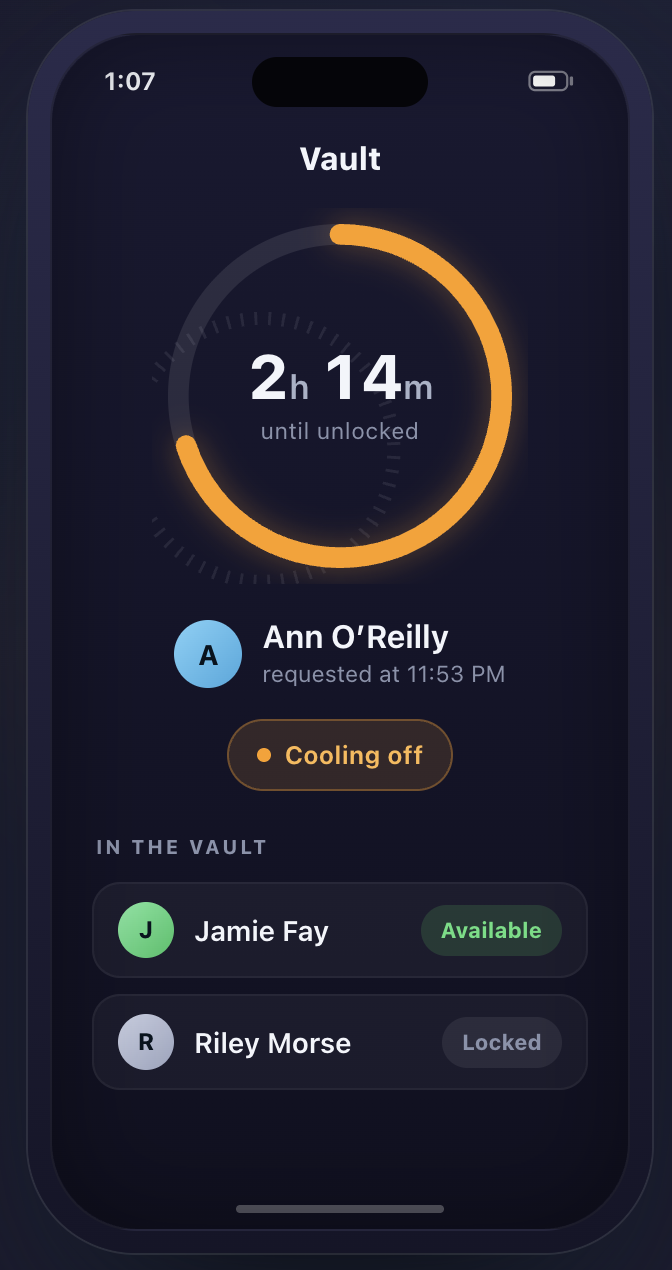
How it works
- Lock a contact. Move it out of your address book and into an encrypted vault on your iPhone.
- Request access. Wait through your chosen cooling-off period, from minutes to a week.
- Choose what comes next. During a brief unlock window, call, message, or restore the contact. The vault closes automatically afterward.
Shortening the delay requires waiting out the existing delay first; running timers never shrink.
Private by design
Contact Vault uses AES-256-GCM through Apple’s CryptoKit, with its encryption key stored in the device Keychain. It has no accounts, backend, or analytics.
Restoring a contact brings back its details, except Notes, which Apple restricts. Restore any contacts you need before deleting the app, since deletion also removes the vault.
How I built it
Contact Vault was a solo project built with Claude Code. Claude Code handled most of the implementation, with very little hand-written code from me.